Beauty Camera -AI Photo Editor
Kamrej AppsBeauty
4.454.00 Reviews
- Version
- 1.46
- Installs
- 1.00M
- Age Rating
- Everyone
Screenshots


Our Review of Beauty Camera -AI Photo Editor
 Analysis by Appyee
When a beauty editor feels difficult, the problem is often not the editing itself but choosing a starting point: take a fresh selfie, pick an existing image, or try an effect before knowing how strong it will look. I find that Beauty Camera - AI Photo Editor makes the basic choice approachable, but a good result still depends on the photo and on keeping the adjustments in check. It suits quick portraits and casual social posts more than careful, professional retouching.
Where first edits can go wrong
The main trap with beauty effects is assuming that the most noticeable change is the best one. A portrait can look polished at first glance while losing natural skin texture or taking on an overly bright, softened appearance. I recommend starting with a subtle treatment, then comparing it with the untouched image before adding more. If the face no longer looks like the person in the original, dial things back rather than stacking another effect on top.
Lighting matters just as much. A dim room, a strong overhead light, or a shadow across the face can make any automatic enhancement look less convincing. For a quick selfie, I would move toward soft window light and keep the camera roughly at eye level before editing. That small change often helps more than trying to correct every issue afterward.
Simple checks before you edit
Kamrej Apps developed this free beauty and photo-editing app, and it is aimed at people who want effects, filters, and makeup-style tools without starting in a complex desktop editor. It is rated for Everyone, has an average rating of 4.2 from around three thousand ratings, and has passed one million installs. Version 1.46 is listed for Android 8.0 and later. Those details make it easy to place: it is a mainstream casual editor, not a specialist tool for studio workflows.
If the app does not open to the image you expect, check that you selected the intended photo from the gallery and that the image itself is available on the device. A duplicate, cropped copy, or older version can be easy to mistake for the original. Before making several changes, confirm you are editing the right file. I also suggest keeping the original untouched so you have a clean point of comparison if the edited result becomes too strong.
The app is free to install, with in-app purchases listed at $7.99 per item. I would treat paid items as optional rather than assuming they are needed for a basic edit. If you are trying it for one occasional selfie, start with the tools available to you and decide whether the app fits your routine before spending anything.
Recovering a workflow that feels stuck
When a result looks wrong, I find it more useful to reset my approach than to keep piling on adjustments. Return to the source image if possible, apply one kind of change at a time, and pause to inspect the whole face rather than zooming in only on a small detail. This makes it easier to notice when a filter has shifted the overall color or when a beauty effect has become too obvious.
If an edit appears slow or the app seems unresponsive, avoid tapping repeatedly or switching between several edits at once. Give the current action a moment, then try again with a single image. If a particular photo continues to cause trouble, test another ordinary portrait; that helps distinguish a one-image issue from a problem with the editing flow. These are sensible troubleshooting steps, not a promise that every issue has the same cause.
When a different tool makes more sense
Beauty Camera sits in the quick, portrait-focused corner of photo editing. Compared with a general photo editor, its appeal is the emphasis on face-friendly effects rather than broad image correction. Compared with a dedicated camera app, it is more useful after a picture has been taken, when you want to adjust the look instead of concentrating on capture controls. For precise color work, detailed masking, or a consistent professional finish across a batch of images, I would choose a more advanced editor.
It is also not the right fit if you prefer unretouched portraits or want complete control over every pixel. Automatic enhancements can save time, but they are not a substitute for careful manual work, and a filter that flatters one photo may not suit another. I would use it for informal portraits, profile pictures, and playful edits, while keeping a more flexible editor for product photos, client work, or images that need exact color matching.
For a realistic everyday use, imagine taking a quick selfie before meeting friends and wanting a tidy version to share. I would choose a well-lit frame, open it from the gallery, try a restrained effect, and compare the result with the original before saving or sharing it. If the app offers several looks, I would test them on that same photo rather than changing the lighting, crop, and makeup treatment all at once. That way, I can tell which adjustment actually helped.
One useful habit is to keep a mental reference for the intended destination. A small image shown in a chat or social feed can make a heavy edit look more obvious than it did while zoomed in. I check the photo at its normal viewing size before deciding it is finished. For a close-up portrait, I pay particular attention to skin texture and edges around the hair; for a group photo, I avoid edits that make one person look dramatically different from everyone else.
If the camera or gallery route does not behave as expected, first close out of the current attempt and reopen the app, then select the image again. Also check that the source photo is not an unusually large or incomplete copy. If only one image is affected, the picture may be the issue; if several images behave the same way, restarting the app or checking for an available app update is a reasonable next step. I would avoid repeatedly applying changes to a file when I am unsure whether the previous edit completed.
There is a practical distinction between an editing problem and a source-photo problem. A beauty filter cannot reliably replace clear light, a steady shot, or a useful composition. If a face is blurred or partly obscured, I would retake the picture when possible instead of trying to repair it with stronger smoothing. Likewise, if the background is distracting, a portrait effect may help the look, but it will not make every complicated edge appear perfectly natural.
People often wonder whether this kind of app is only for selfies. I think portraits are its clearest use, but casual pictures of friends can also benefit from a light touch. It is less suited to landscapes or images where accurate colors matter more than a flattering face treatment. Another reasonable question is whether it replaces a full photo editor: for quick visual changes, it can be convenient; for selective edits and detailed control, I would keep a broader editor nearby.
My advice for choosing between it and a standard filter app is to think about the job, not the number of effects. If the goal is a quick portrait with beauty and makeup-style options, this app is more directly aimed at that task. If I want to tune the whole scene, correct exposure, or maintain the same look across many unrelated images, a general-purpose editor is usually a better match. Neither approach is automatically better; the useful choice depends on whether the face or the entire photograph needs attention.
There is also a small but important trade-off in convenience: quick enhancement encourages experimentation, but too many changes can make it harder to remember what the original looked like. I prefer to decide on one goal before editing, such as softening the overall look or giving the image a different mood. Then I stop when that goal is met. This keeps the result recognizable and avoids spending time chasing a version that looks polished only because it has been edited repeatedly.
First Impressions and User Interface
The moment I launched Beauty Camera - AI Photo Editor, I was greeted with an intuitive and sleek interface. It's like the app was designed with simplicity and elegance in mind. Everything is laid out just where you'd expect, making it super easy to navigate even for the first-timers.
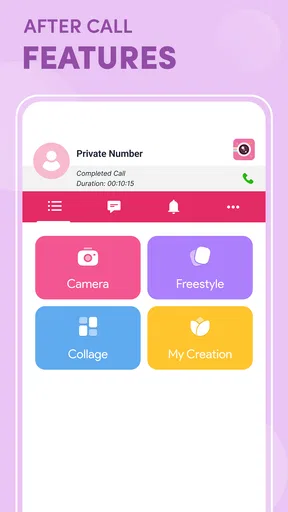
The home screen features quick access to your camera and gallery, which is fantastic for diving straight into editing or snapping a new pic. The color scheme is easy on the eyes, and the icons are thoughtfully designed, ensuring you never feel lost in a sea of options.
Features That Stand Out
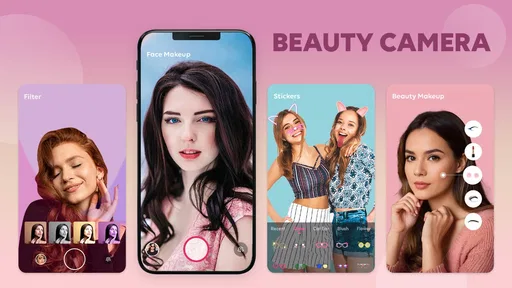
Alright, let’s dive into the real meat – the features. The app promises a lot with its AI-powered tools, and I must say, it delivers. Here are some of the standout features that caught my eye:
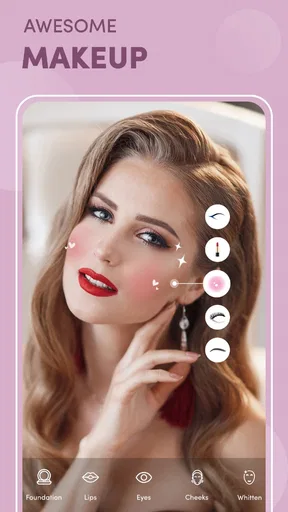
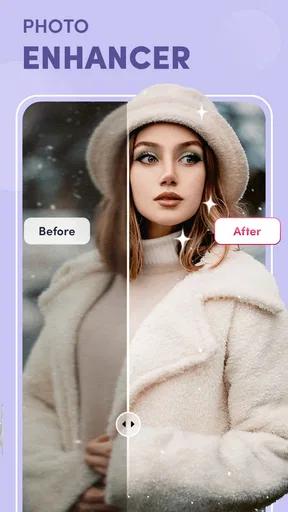
- AI Beautification: The app’s AI instantly enhances your photos, smoothing skin, brightening eyes, and even whitening teeth. It's like having a personal makeup artist in your pocket!
- Filters Galore: There’s a wide array of filters that can transform the mood of your photos. Whether you’re going for a vintage vibe or a modern feel, there’s something for everyone.
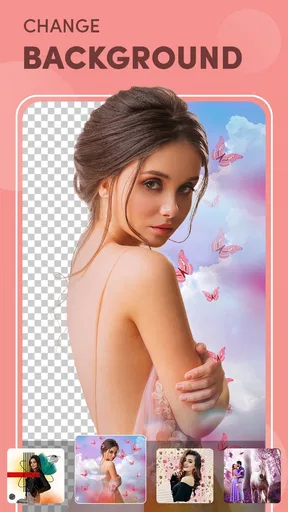
- Background Blur: Want that professional portrait look? The background blur feature mimics the depth of field effect beautifully.
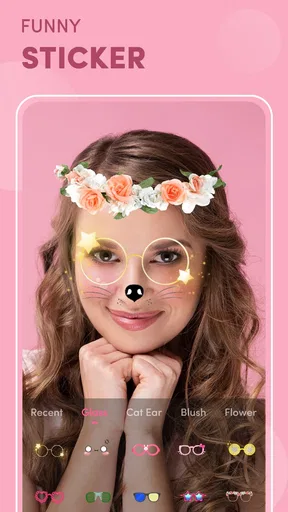
- Sticker and Text Options: Add a bit of fun with quirky stickers and personalized text. Perfect for those Instagram stories!
Performance and Usability
In terms of performance, Beauty Camera - AI Photo Editor runs smoothly without any noticeable lags. The processing time for edits is impressively quick, which is a huge plus when you're eager to share your photos. I tested it on both Android and iOS, and it worked flawlessly across both platforms.
Usability is another area where the app shines. The tutorials and tooltips are handy for beginners, ensuring that you can make the most of all the features without any hassle. The app doesn’t bombard you with ads either, which is a refreshing change.
Creative Freedom
What I really love about this app is the creative freedom it offers. You can tweak every little detail to your heart’s content. Whether you’re a novice or a seasoned editor, the tools are versatile enough to cater to different levels of expertise. This flexibility makes it a joy to use, regardless of your skill level.
Final Thoughts
To wrap up, Beauty Camera - AI Photo Editor is a fantastic app for anyone looking to enhance their photos with minimal effort. It’s packed with features that cater to both casual users and those who love a bit of creative editing. The AI tools are particularly impressive, offering enhancements that look natural and flattering.
Would I recommend it? Absolutely. Whether you’re looking to up your selfie game or just want to have fun with your photos, this app is a must-try. Go ahead, give it a shot, and watch your photos transform like magic!
Privacy and Permissions
See what permissions an app requests and how it handles your data.
- Location
- approximate location (network-based), precise location (GPS and network-based)
- Phone
- read phone status and identity
- Photos/Media/Files
- read the contents of your USB storage, modify or delete the contents of your USB storage
- Storage
- read the contents of your USB storage, modify or delete the contents of your USB storage
- Camera
- take pictures and videos
- Microphone
- record audio
- Wi-Fi connection information
- view Wi-Fi connections
- Device ID & call information
- read phone status and identity
- Other
- view network connections, connect and disconnect from Wi-Fi, full network access, draw over other apps, prevent device from sleeping
Verdict
Strengths of Beauty Camera -AI Photo Editor
- Easy-to-use interface for quick edits.
- Wide range of filters and effects.
- AI enhances photos automatically.
- Real-time beauty adjustments.
- Supports high-resolution output.
Limitations of Beauty Camera -AI Photo Editor
- Contains in-app purchases and ads.
- May require internet for some features.
- Limited free filter options.
- Some features may lag on older devices.
- Privacy concerns with data permissions.
Similar Picks in This Category
View All
Beauty Makeup Editor & Camera
Photo & Video Editors - Instant Solution4.7

Perfect365: Face Makeup Editor
Perfect365, Inc.3.5

Mirror Plus - HD Mirror app
Digitalchemy, LLC4.8

Cute Lock Screen & Wallpapers
Prometheus Interactive LLC4.6

HD Camera for Android
One Music Player4.5

Phone Mirror app - True Mirror
Cards4.6
Frequently Asked Questions
What features does Beauty Camera - AI Photo Editor offer?
Beauty Camera - AI Photo Editor offers a range of features including real-time beautification effects, advanced AI-powered photo enhancements, skin smoothing, blemish removal, and a variety of filters. It also includes tools for reshaping facial features and adjusting lighting to create a flawless look instantly.
Is Beauty Camera - AI Photo Editor free to use?
Beauty Camera - AI Photo Editor is available as a free download with basic features. However, it offers in-app purchases for premium features and additional filters. Users can choose to subscribe to a monthly or yearly plan for full access to all tools and effects.
Does Beauty Camera - AI Photo Editor support sharing on social media?
Yes, Beauty Camera - AI Photo Editor supports easy sharing of your edited photos directly to social media platforms like Instagram, Facebook, and Twitter. The app offers quick sharing options so you can showcase your enhanced photos with friends and followers instantly.
Is Beauty Camera - AI Photo Editor easy for beginners to use?
Absolutely. Beauty Camera - AI Photo Editor is designed with an intuitive interface that is user-friendly, making it easy for beginners to navigate. The app provides step-by-step guidance and tips on using its features effectively, allowing users to create professional-looking edits effortlessly.
What devices are compatible with Beauty Camera - AI Photo Editor?
Beauty Camera - AI Photo Editor is compatible with both Android and iOS devices. It requires Android version 5.0 and up, or iOS 11.0 or later. It is optimized for smartphones and tablets, ensuring smooth performance and high-quality results across different devices.
